Free text to speech

Practical comparison

Finding a text to speech alternative free of upfront cost?

Start with the job: hearing a page, making a short spoken draft, or producing audio for a project. Those jobs call for different tools, and an option that costs nothing to try may still limit what you can save or publish.

Three real scenarios, one pick each

A search for a text to speech alternative free of upfront cost can lead to tools built for very different purposes. Make the first cut by deciding what you need to do with the sound.

Read an article while you work

Pick the read-aloud feature already available in your browser or device. This route cannot turn that listening session into a reusable narration file, and voices or controls depend on your device.

Workaround

Use a dedicated voice service if you need an audio file rather than live playback.

Check the sound of a short script

Pick a browser-based speech tool for a quick listening pass. This route cannot assume that every online tool permits downloads, long passages, or use of the resulting voice in published work.

Workaround

Check its current export and usage terms before building it into a workflow.

Make audio for a public project

Pick a voice service whose current terms cover your intended use. A no-cost option is not automatically suitable for a video, course, or client deliverable.

Workaround

Test a representative paragraph, then verify rights, limits, and available output before committing.

Make a choice from your actual workflow

You can narrow the field without ranking voices by a single sample sentence.

  1. 1

    Name the destination

    Decide whether you only need to listen now or must keep audio for later. A screen reader is a good fit for immediate access; an audio project needs a different workflow.

  2. 2

    Test real material

    Use a passage with the names, numbers, pauses, and punctuation your project contains. Listen for errors you would actually need to fix, not just whether the voice sounds pleasant.

  3. 3

    Check the conditions

    Before relying on any tool, check its current length limits, export options, privacy information, and permitted uses. These details can change independently of voice quality.

Keep the nearby decisions separate

These related guides address distinctions that a general alternatives list can hide.

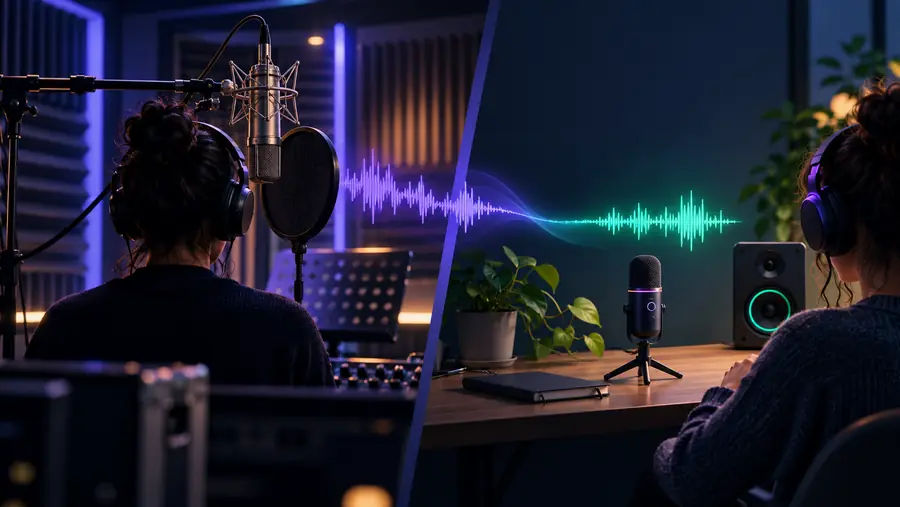
Picture the difference in outcomes

The useful comparison is not simply one voice against another. It is live listening versus audio you intend to keep.

Illustration representing immediate spoken playback of written text Listen to text now
Illustration representing a planned voice-production workflow Prepare audio for later
Illustrative comparison, not a claim about either tool's controls or output. Confirm the capabilities of the specific option you choose.

Capability matrix

Built-in reading features and dedicated voice services solve overlapping but different problems. Availability and terms vary, so treat this as a selection guide rather than a product guarantee.

Built-in read-aloud
Dedicated voice service

Best starting task

Built-in read-aloud

Listen to text displayed on your device.

Dedicated voice service

Prepare speech from a script for a separate purpose.

Where text lives

Built-in read-aloud

Often in an app, document, or web page you already opened.

Dedicated voice service

Usually in text you provide to the service.

Keeping the result

Built-in read-aloud

Playback may not include an audio export.

Dedicated voice service

Export depends on the service and its current terms.

Voice selection

Built-in read-aloud

Depends on installed voices and device settings.

Dedicated voice service

Depends on the service's available voices and controls.

Editing pronunciation

Built-in read-aloud

May require changing the source text or system settings.

Dedicated voice service

May allow script edits or other adjustments; verify before relying on them.

Public reuse

Built-in read-aloud

A playback feature does not establish reuse rights.

Dedicated voice service

Check the service's terms for the exact intended use.

Sensitive material

Built-in read-aloud

Check whether processing stays on-device or uses a remote service.

Dedicated voice service

Review the provider's privacy information before submitting text.

Shared pitfalls

Whichever route you choose, a convincing demo is only the start. These common situations reveal the checks that matter after the first listen.

Video creator

A sample sounds good, but the final script includes names and abbreviations the voice misreads.

Test a full representative passage and leave time to revise the script. Voice style and reading accuracy are separate questions.

text to speech vs ai voice

Podcast editor

A tool can speak a draft, but its playback does not fit an editing timeline.

Verify whether you can retain a usable audio file before recording the rest of an episode.

text to speech vs voice generator

Phone reader

A browser demo seems convenient, but switching apps interrupts the reading flow.

Try the phone's built-in speech controls for live listening before moving text into another service.

how to use text to speech on phone

Our tradeoff

Explore a dedicated voice option when playback is not enough

Text To Speech points you toward a voice service to evaluate for script-based work. We cannot promise that it will cost nothing for your intended use, provide a particular voice or file type, or grant publication rights. If your only goal is to hear a page once, start with your device's reader instead. If you need a separate spoken result, check the service's current capabilities and terms against your sample script.

Explore voice options
  • Test your own text, including difficult names.
  • Confirm output and usage terms before publishing.
  • Keep built-in reading as the simpler option for live listening.

Comparison FAQ

Start with the read-aloud or accessibility feature on the device or browser you already use. It is often the shortest route to hearing a page, though available voices and controls vary. If you need to keep the audio, check a dedicated service instead.

Some tools offer export, while others only play speech in the browser or app. Even where a download is available, length limits or permitted uses may differ. Check the option's current terms and output controls before planning a project around it.

No. A built-in reader primarily helps you listen to content where you are reading it. A voice generator is generally considered when you want speech from a script for a separate use, but its exact capabilities depend on the service.

Choose based on the final deliverable, not a short voice demo. Test your real script, confirm that you can obtain the output you need, and check whether the terms permit your intended publication. A live read-aloud feature alone may not meet those requirements.

Do not assume that a tool is private because it is built in or costs nothing to try. Find out whether speech is processed on your device or sent to a provider, then read the relevant privacy information. Avoid submitting sensitive text until you understand how it will be handled.

Create audio
Create audio