
Free text to speech

Voice comparison

text to speech vs ai voice: Which fits your project?

The text to speech vs ai voice distinction is mostly about purpose, not a clean technology boundary. Choose a dependable way to hear written material for reading; evaluate delivery, editing, and reuse when making narration for an audience.

Text To Speech voice creation visual

Verdict first (table)

Start with the job your audio must do. The detailed comparison appears below; these related guides help narrow down the terminology before you test a tool.

Dimension by dimension

Neither label guarantees a particular sound or set of controls. Check the actual tool against your script and intended use.

A label cannot predict quality

An AI voice may sound expressive on a short demo yet stumble over names, numbers, or technical terms in your script. Conventional text to speech can also sound natural, depending on the voice and implementation.

Workaround

Test the same representative paragraph in each option and listen for the errors your audience would notice.

This comparison cannot grant usage rights

A voice that sounds suitable for publication is not automatically licensed for advertising, redistribution, or a client's project. Rights depend on the provider's terms and sometimes on the particular voice.

Workaround

Read the current usage terms before publishing or handing over audio.

A generated voice is not a person's consent

Some AI voice workflows involve cloning or imitation, which raises permission and impersonation concerns that ordinary read-aloud use may not. A convincing result does not establish that its source was authorized.

Workaround

Use a voice you have permission to use and avoid implying that a real person spoke words they did not say.

Not every service supports the same handoff

Playback, file export, pronunciation controls, and editing options vary by product. The terms text to speech and AI voice alone do not tell you which of these features is available.

Workaround

Verify the output and controls you need before building a production process around them.

Who each suits

A useful choice begins with the listener and ends with a test of the finished script, not with a category name.

  1. 1

    Name the listening task

    For private reading, accessibility support, or proofreading, prioritize clear playback and easy access to your text. For a public video, course, or presentation, judge whether the delivery serves the audience and whether the output can be used as intended.

  2. 2

    Test the difficult lines

    Try a passage containing the names, abbreviations, dates, and sentence lengths that occur in your real material. Compare intelligibility first, then pacing and emphasis. A polished sample sentence is a poor substitute for this check.

  3. 3

    Choose a repeatable workflow

    If you need many revisions, consider how easily you can correct a word and recreate the affected passage. If you only need to listen once, extensive production controls may add work without improving the result.

Who each suits: capability table

These are typical priorities, not universal product specifications. AI-generated voices can power text to speech, so a single tool may occupy both columns.

Read-aloud text to speech
Produced AI voice

Primary task

Read-aloud text to speech

Make written content audible to a listener.

Produced AI voice

Create a voiced performance for content others will hear.

Starting material

Read-aloud text to speech

A document, passage, or interface text.

Produced AI voice

A prepared script with an audience and delivery goal.

Main quality check

Read-aloud text to speech

Can the listener understand and follow the words?

Produced AI voice

Do clarity, pacing, and tone fit the piece?

Revision pattern

Read-aloud text to speech

Change the text and listen again.

Produced AI voice

Revise wording, delivery, and individual takes as needed.

Voice identity

Read-aloud text to speech

Often secondary to legibility and listening comfort.

Produced AI voice

May matter for consistency across published pieces.

Output priority

Read-aloud text to speech

Convenient playback may be sufficient.

Produced AI voice

A usable recording and clear usage rights may be essential.

Common risk

Read-aloud text to speech

Mispronunciation or tiring delivery during long listening.

Produced AI voice

Unnatural emphasis or a voice used beyond its permissions.

Best first test

Read-aloud text to speech

Listen to a real page at a comfortable pace.

Produced AI voice

Review a representative finished segment in context.

Who each suits: practical scenarios

The same person may need simple playback on one day and publishable narration on another. Let the destination of the audio decide.

Student reviewing notes

A student wants to hear a dense reading assignment while following the text. Clear pronunciation, manageable pacing, and the ability to replay a passage matter more than a distinctive performance.

Start with read-aloud text to speech; evaluate the actual passage for comprehension.

text to speech vs voice generator

Creator drafting a video

A creator has a short script and needs narration that supports the visuals. Tone, awkward pauses, and the right to publish the voice become part of the decision.

Assess an AI voice against the edited video, rather than judging an isolated demo.

text to speech alternative free

Editor checking a manuscript

An editor listens for missing words and sentences that are hard to follow. The recording is a temporary review aid, not the final deliverable.

Use a straightforward text to speech workflow and fix the written copy before considering a produced voice.

text to speech voice

Migration path

Moving from private listening to published narration means changing the review process, not necessarily changing technologies.

Illustration representing a read-aloud voice workflow Read to understand
Illustration representing a planned narration workflow Produce for an audience
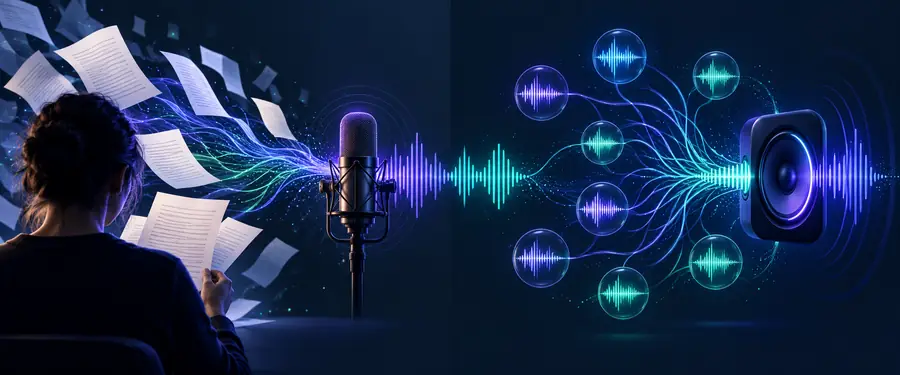
Illustrative workflow contrast, not an audio-quality test. Keep the script that worked for listening, then mark pronunciations and intended pauses. Generate a short sample, review it beside the final visuals or lesson, and confirm usage rights before publishing.

Migration path: make a first draft

Start with a passage you know

Text To Speech can be a starting point for exploring voice creation. Bring a short, representative script rather than a generic demo line, then assess the result for clarity, delivery, and suitability for your intended use. Check available controls and terms in the destination service before committing to a larger project.

Explore voice creation
  • Use your real wording
  • Listen for names and numbers
  • Confirm rights before publishing

Comparison FAQ

Not exactly. Text to speech describes the task of converting written words into spoken audio; an AI voice describes a type of voice technology or output. An AI-generated voice can be used in a text to speech system, so the terms overlap.

Choose the option that makes the document easy to understand and navigate. For personal reading, reliable playback and pronunciation usually matter more than theatrical delivery. Test a real excerpt, especially if it contains unfamiliar names or terminology.

An AI voice workflow may suit a video when it provides the delivery and revision options your script needs. The category name alone is not a quality guarantee. Review a sample with the visuals and check the voice's publication terms.

Yes. Begin with a script you have already checked by listening, then edit it for spoken delivery and mark likely pronunciation problems. Make a short test segment and review its pacing before producing the rest.

No. Naturalness varies by voice, script, and how the audio is generated; some conventional text to speech voices may perform well for a particular passage. Compare the same words in context rather than relying on product labels.

Create audio
Create audio